
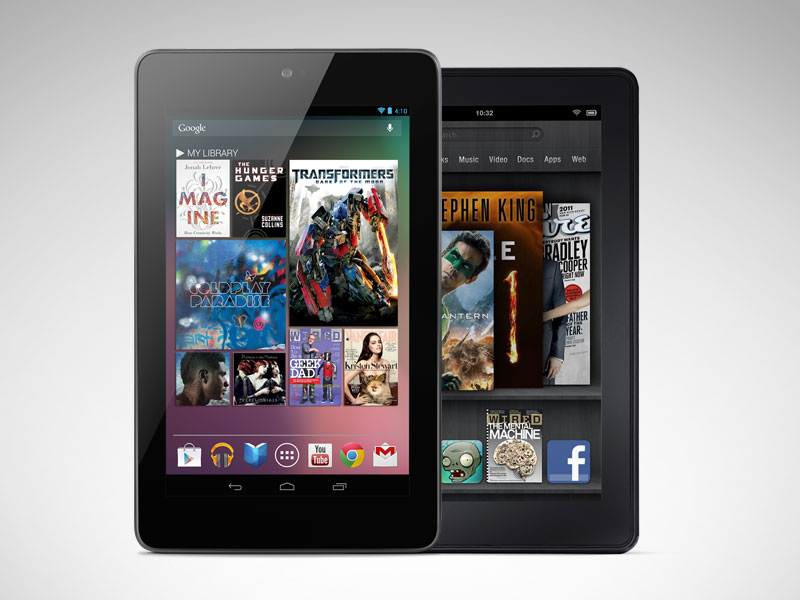
It’s a sad but true fact, until recently, the range of Android tablets was a rather bleak affair. There was, and still is, plenty of choice for those looking for a tablet fix, but the Android tablet OS always seemed to stutter behind the seemingly unstoppable force that was the iPad. The Nexus 7 was a sign of intent from Google to kick-start a tablet offering that could genuinely compete. It has sold well, and captured mainstream attention like no other Android tablet. And now it has its very own direct competitor. The Kindle Fire HD from Amazon is, like the Nexus 7, a seven-inch device with an impulse-buy price tag attached. And it does run Android, although it is so heavily skinned that you’d be hard pushed to notice at times.
Specs
| Kindle Fire HD | Nexus 7 | |
|---|---|---|
| Dimensions | 7.6 inches by 5.4 inches by 0.4 inch (HWD) | 7.8 inches by 4.72 inches by 0.41 inch (HWD) |
| Weight | 13.9 ounces | 12 ounces |
| OS | Custom Android 4.0 | Android 4.1 |
| Processor | Dual-core,1.2GHz OMAP 4460 | Quad-core Tegra 3 |
| RAM | 1GB | 1GB |
| Storage | 16GB or 32GB | 8GB or 16GB |
| Front camera | Yes, unknown type | Yes, 1.2 megapixel |
| Rear camera | No | No |
| Battery | 11 hours | 10 hours |
| Charge type | Micro-USB | Micro-USB |
| 3G | No | No |
| Wi-Fi | 802.11 b/g/n (MIMO) | 802.11 b/g/n |
| Bluetooth | Yes | Yes |
| Screen size | 7 inches, antiglare, laminated (IPS) | 7 inches (IPS) |
| HDMI out | Yes | No |
| Resolution | 800×1,280 pixels | 800×1,280 pixels |
| Book store | Amazon | Google Books, third-party |
| App store | Amazon | Google Play |
| Book formats | Kindle (AZW), TXT, PDF, unprotected MOBI, PRC natively, DOC, DOCX, Audible (Audible Enhanced (AA, AAX)) | App-dependent, more inclusive |
| GPS | No | Yes |
| Gyroscope | Yes | Yes |
| microSD | No | No |
| NFC | No | Yes |
| Adobe Flash | No | No |
| Microphone | Yes | Yes |
| Other features | Cloud storage backup, wireless sync, Whispersync, Amazon Silk Web browser, Amazon Lending Library, Prime Instant Video, Dolby Digital Plus audio, X-Ray, FreeTime, MIMO dual-band antenna | Larger app selection, Google Now, Voice Commands, broader accessibility options, integration with Google services (Gmail, Docs, Maps, Drive), location-aware, |
| Price | $199 16GB, $249 (32GB) | $199 8GB, $249 (16GB) |
Design and Build
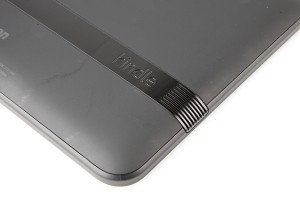 Without having a closer look, you can easily mistake both tablets for one another. The simply black slab effect is a tried and tested design that works well on both tabs, with the only noticeable difference at first glance being the varying location of the front-facing camera on each tablet. The location of the camera on the Fire HD is quite deceptive, and although its location is suited for landscape view, the tablet feels a lot better when you hold it in portrait orientation. Look a little closer and you’ll soon start to see the key differences. The Nexus 7 has a thin bezel around its seven-inch screen, and the metallic look and feel of it screams quality. It’s a whole lot smaller than the wide bezel (and plastic rim) that encompasses the Kindle Fire HD. The bezel isn’t a massive deal, but it’s certainly noticeable when you handle the tablet, and makes it feel considerably wider than the Nexus 7. Around the back of the tablets, both companies have opted for a simple, but comfortable design. The Fire HD has a soft matte finish, with a thin plastic spine running through it. Although the more plastic look isn’t as stylish as the metallic feel of the Nexus 7, the Fire HD is still an elegant design, even though it won’t win any awards anytime soon. The stippled back of the Nexus 7 makes it very grippy indeed, and could be a god send for anyone who has problems with regularly dropping
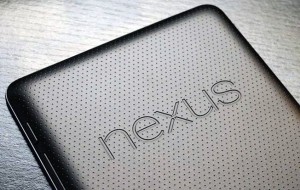 their devices. Either side of the Kindle’s backplate you’ll find small speakers, which are far better located than at the bottom of the device where you’ll find the Nexus’ single speaker. The awkwardly placed speaker of the Nexus 7 is easy to cover up without you noticing, which we did by complete accident on many occasions. It also lacks the volume and overall power that the speakers on the Fire HD offer. The Fire HD is comfortable to hold in both landscape and portrait mode, but the slightly smaller Nexus 7 is equally as pleasant to hold, and with Google’s offering being noticeably lighter and thinner than its competition (340 grams in weight and 4.72 inches wide compared to the 413 grams and 5.4-inch waistline of the Fire HD) it’s easier to handle and transport around.
Hardware and Screen
As you’d expect with devices in this price range, there have been some cutbacks with the amount of ports on both of these tablets. Google has included a single micro USB port and 3.5mm audio jack that can both be found at the bottom of the device. Add just the standard volume rocker and power button to the right-hand side, and it means the Nexus 7 is a very, very stripped back affair. The same ports are also found on the Fire HD, but the addition of a micro HDMI port for streaming content to a bigger screen is a welcome addition, and something that Google should’ve included. Although both companies may have held back on the amount of ports they include on their devices, they’ve certainly equipped them both with a modern set of specs. Inside the Kindle Fire HD you’ll find a 1.2GHz dual-core CPU, a
PowerVR GPU and a healthy 1GB of RAM. All in all, the Fire HD is a speedy tablet throughout that handles tasks well. It can’t, however, compare to the Nvidia Tegra 3 quad-core processor, which alongside the 1GB of RAM, makes the Nexus 7 ridiculously quick. When you turn on the devices-and it is surprisingly difficult to turn the Kindle Fire HD on thanks to the way the power button sits flush to the top of the casing-you’ll be hard pressed to find much difference between the two displays. Both pack a seven-inch 1,280 x 800 IPS LCD display. Neither can quite match the Retina display of the iPad, but a pixel density of 216ppi means that neither tablet’s display should be overlooked. Colors do appear to be a bit sharper on the Fire HD, for whatever reason, and this is especially noticeable when you’re watching a movie.
Software
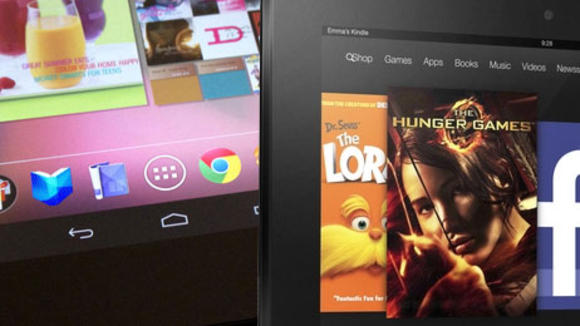
The Nexus 7 runs Vanilla Android 4.1 Jelly Bean, offering users a stripped back Android experience, while also giving 99 per cent of users their first taste ofthe latest update. With it being a Google tablet, Nexus 7 users will also benefit from having the chance to test the newest OS updates as soon as they’re made available. All the familiar Android features are present, as well as all the Google apps that come as standard. If you previously have a Google account, syncing it with your Nexus 7 is a breeze, and you’ll soon have access to all your emails and other data. The Amazon Kindle Fire HD is powered by Android 4.0, but presents a heavily skinned user interface. The skin used helps tie in the various sections of the Amazon ecosystem together, in a colorful but sometimes clumsy experience. You have to look pretty hard to find any familiar traces of Android-the notifications pane is about the only one -as the whole ofthe rest of the U I has undergone a complete transformation. The Fire HD has been well and truly de-Googled. In place of the normal Android apps are a few that Amazon has selected including Quickoffice and IMDb. The home screen consists largely of oversized icons for your rnostrecently used apps or content -you can’t even place your apps there, these have been relegated to their own section within the Ul. Pretty much the only area of user customisation is in the appearance of a favourites bar that pops up at the bottornofthe screen. The shortcut icon for this is also present, and is one of the better ideas from within Amazon’s overhaul. There are plenty of not so good ideas, as like the Kindle eBook readers, the device is not quite as easy to use as Amazon might like to think, and is often confused and inconsistent.
Media and Browser
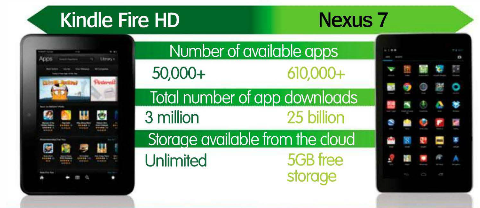
Another major difference in the ecosystem of these devices is in terms of their respective app stores. The Play Store has over 600,000 apps available for download and covers a variety of categories. If you compare this to the meager 50,000 apps available from the Amazon Appstore (which doesn’t have the Play store, although it is possible to install it if you root the device) then there can only be one winner in this section. Although, where the Kindle Fire HD shines is in its exclusive purchasing content with an unrivalled store containing millions of books, movies and music tracks. Google’s alternative is much weaker, and not all parts of the Play store, such as “Music”, are even available outside of the US. We also like the App of the Day promotion in which Amazon give away one paid app for free every day.
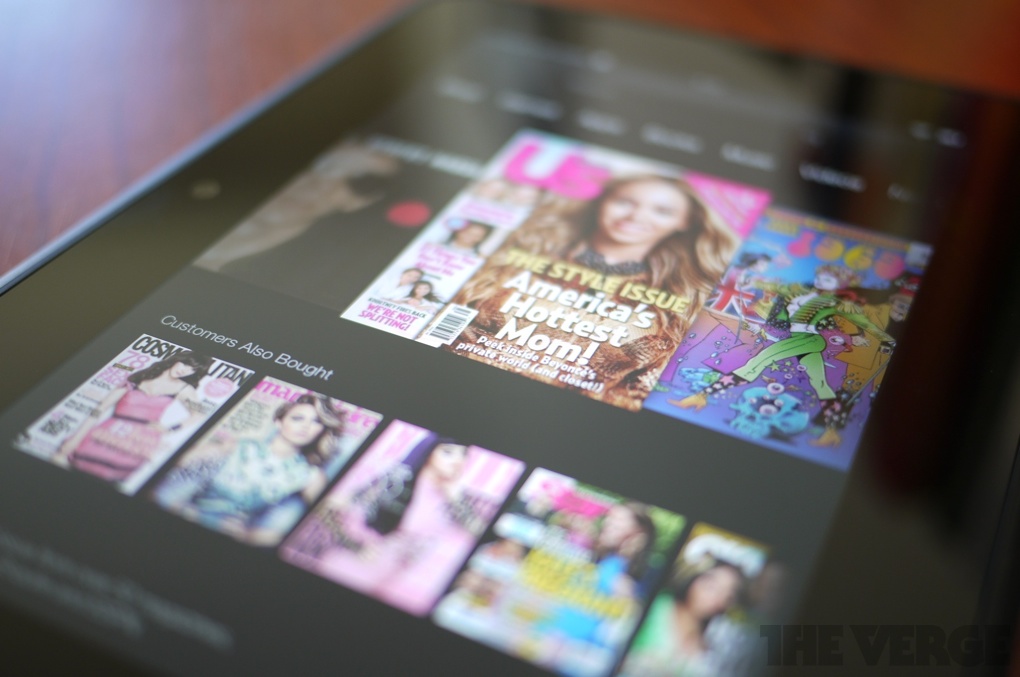
Both tablets offer a brilliant selection of media. Reading is an absolute dream on Amazon’s tablet, and although the selection of apps is limited, the choice of books to read is unmatched. One of the nicer touches we found within the Fire HD, is its aptly named Silk Browser. The browser itself runs through Amazon’s very own servers, allowing for increased speeds. Although there weren’t staggering differences between this and the Chrome browser that comes pre-installed with the Nexus 7, it certainly is noticeable. However, having the freedom to implement a new browser from the Play store is a massive bonus for Nexus 7 owners. To go with your speedy browser, you’re going to want a Wi-Fi connection that can match it. Amazon has made a big deal about the dual antennas the Fire includes, which help improve the overall speed when browsing, as well as the rendering and downloading of images and videos.
The Fire HD does get one up over its Google rival as to how it handles media. As previously mentioned, the addition of a micro HDMI on the Fire HD allows for external streaming of media content. Amazon’s ecosystem also comes into force here, with a massive library of the latest films at your disposal, while the integrated Amazon cloud player is a great place to listen to your music without wasting up the internal storage. Due to the fact that you have access to the entire Amazon ecosystem with just one account, it’s easy to access your media, be it on your Fire HD or desktop computer. Google has yet to match the fluidity and scope that Amazon covers.
Performance and Hackability
There’s no doubting that thanks to the processors in both of these devices, especially the Tegra 3 CPU found in the Nexus 7, you’ll have a great time using both of these tablets. Swiping between pages is a great experience, and apart from the very odd occasion we encountered lag on the Fire HD, it was hardly noticeable. The multitasking power of the Nexus 7 should be noted however – something that is noticeably lacking in the Kindle Fire HD, no doubt in an attempt to make the device easy to use and maintain good battery life.
Another thing we don’t like about the Amazon tablet is that it is ad-supported. These are often quite unintrusive, being displayed on the lock screen like a regular Kindle device, but they do also appear at other times as well. In a way it fits with the entire ethos of the device, it is effectively a massive storefront – and is understandable that compromises have to be made to meet such a low price point, but if you want to remove them you will have to pay a little more. Both tablets delivered impressive battery life, with the Kindle Fire HD getting the edge on our ‘normal use’ test. The Nexus delivered between about 6-8 hours, and the Kindle around 8-9.
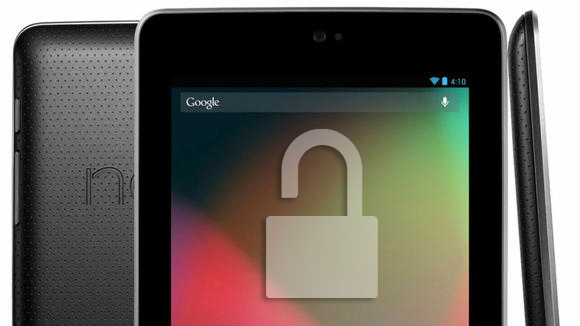
For the Android enthusiast the ability to hack a device cannot be ignored. Here there really is no comparison. While the Nexus 7 can be unlocked, rooted and flashed with custom ROMs and kernels to your heart’s content, the Kindle Fire HD is well locked down. It can be rooted, which means you will be able to add some of the missing Android apps, like the Play store, if you want.
The HD’s bootloader is locked tight, and at the time of writing it seemed highly unlikely this situation would change. That means no custom ROMs, and no way of making any serious changes to the software or Ul. If you thought the Kindle Fire HD represented the opportunity to put together your own cheap but high-quality Android tablet, think again. We’d guess it’s a similar story for official updates as well. The Nexus 7 will be the first tablet to get new versions of the Android OS as and when they are launched. It’s unlikely the Kindle Fire HD will get much more than bug fixes and enhancements to the Amazon stores. Such is the extent to which Android has been relegated in the device, however, that this scarcely matters.
Overall
Google’s Nexus 7 is under threat from the Kindle Fire HD , especially considering that Amazon offers twice the amount of storage for the same price. However, Android fans will have to decide whether to opt for the heavily modified operating system to and lack of Play Store access when choosing the Kindle Fire HD. Although, if you have Amazon Prime and want to utilize your free media you should defiantly go with Kindle Fire HD.
